Prose: Prompts to Controls
The earliest version of Prose followed a familiar pattern: a document on one side, a chat panel on the other. The idea was straightforward—where the industry had settled for writing assistants. Technically, it worked. But almost immediately something felt off.
I wrote more text about my writing than actual writing. Long explanations. Clarifications. Follow-ups. Corrections. The chat interface demanded attention in the same medium as the work itself—language—and it became competitive instead of supportive. The assistance was verbose. The interaction was cumbersome. And worst of all, my focus drifted away from the document.
I didn’t want to talk about my writing. I wanted to improve it.
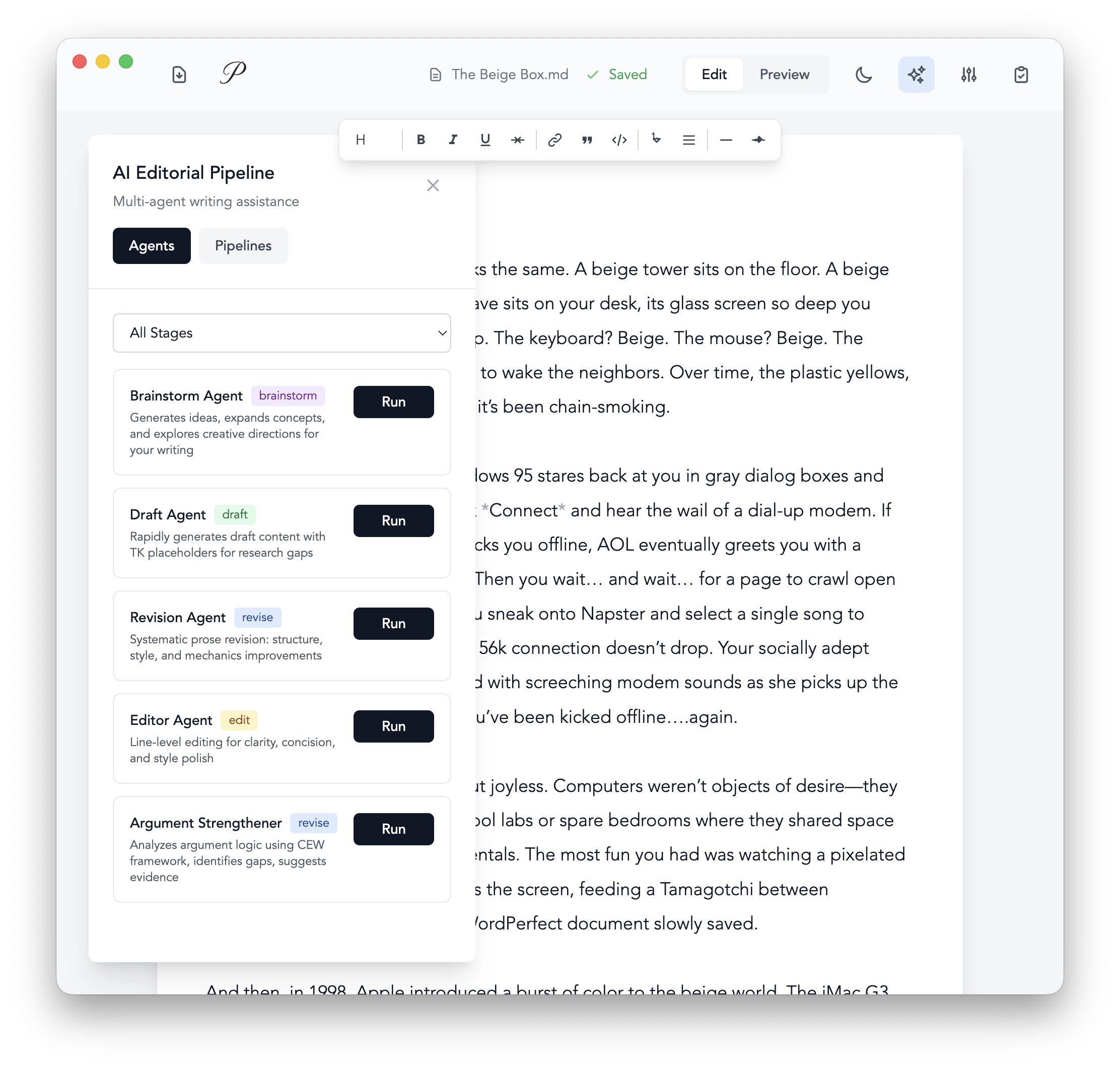
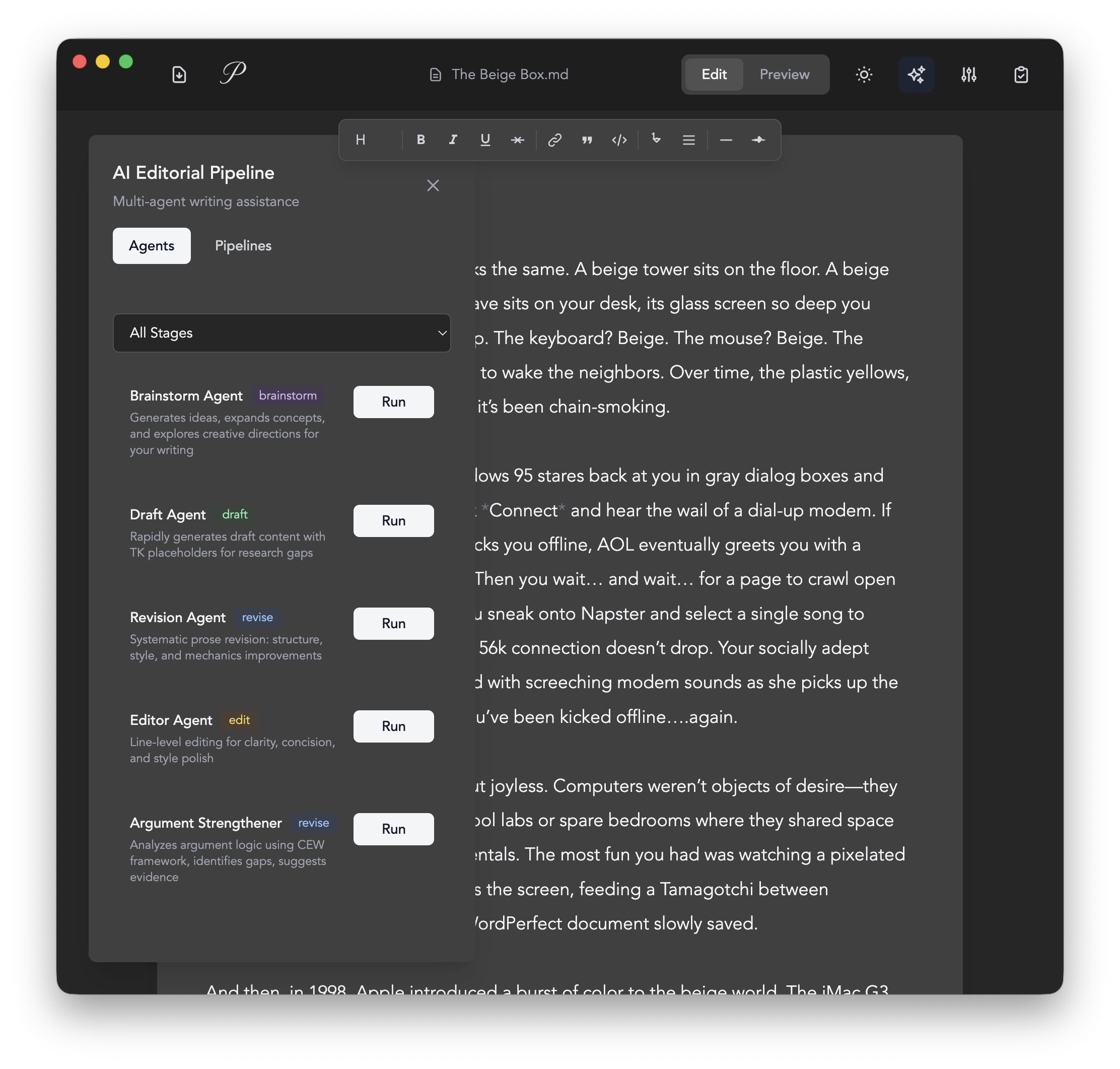
In the Fall of 2025, Anthropic released their Agent Skills framework, which gave developers a standard way of instructing agents how to perform very specific, purpose-built tasks. I immediately began experimenting with agents tailored to specific stages of the writing process: brainstorming, drafting, revision, and argument strengthening. After a few months of tweaking instructions, I had a set of agents that were very good at providing writing assistance.
My next release of Prose implemented a multi-agent editorial pipeline system using the skills I had developed. Agents with narrowly defined skills collaborated through pipelines that orchestrated specific sequences of agents. Instead of conversation, Prose moved toward action. It was a major improvement—the system felt decisive instead of chatty. Prose stopped asking questions and started doing work.
Unfortunately, this surfaced a new problem. The system lacked nuance. Some drafts arrived strong and needed only a light polish. Others were rough and needed structural help. But the agents didn’t know the difference. Every run invoked the same preset behavior, regardless of context or quality. The system was convenient, but it felt like a blunt tool. Premade agents and fixed pipelines couldn’t always distinguish how much help a piece of writing actually needed.
I tried making the pipelines configurable. Sliders for "revision intensity." Dropdowns for tone. But these controls were static—designed by me, in advance, for every possible document. They couldn't adapt to what the text actually needed. A memoir fragment and a technical specification both got the same generic options. The configuration UI became another thing to maintain, and it still missed the point.
The missing piece wasn't intelligence—it was subtle guidance. I found no solution until I discovered a Microsoft repository. Promptions promised "ephemeral UI for prompt refinement." The idea: simple. So simple I'm disappointed I didn't think of it. In short, you define UI controls available for use, give the model instructions and document context, and it will create a unique refinement UI from the controls you defined.
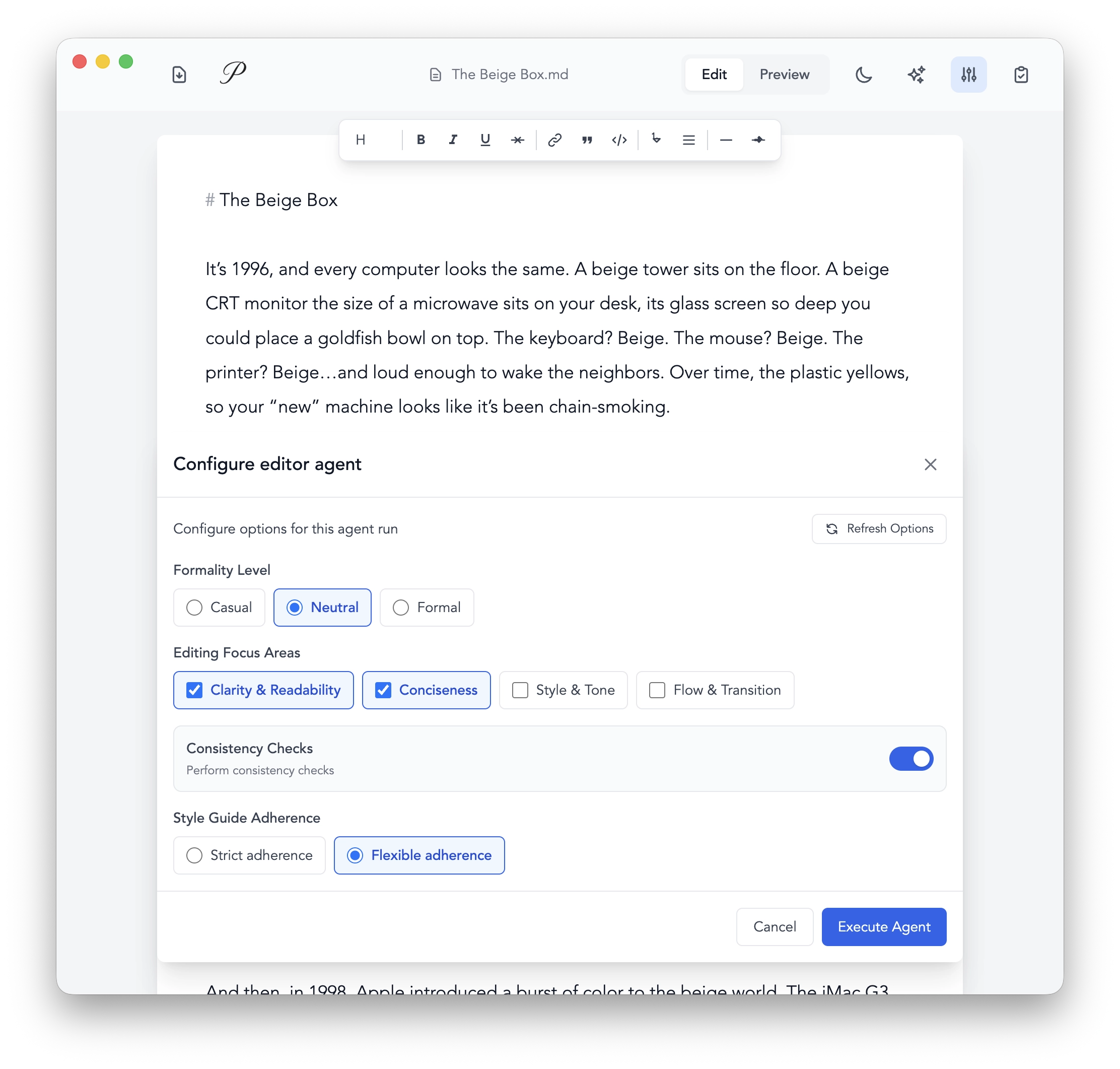
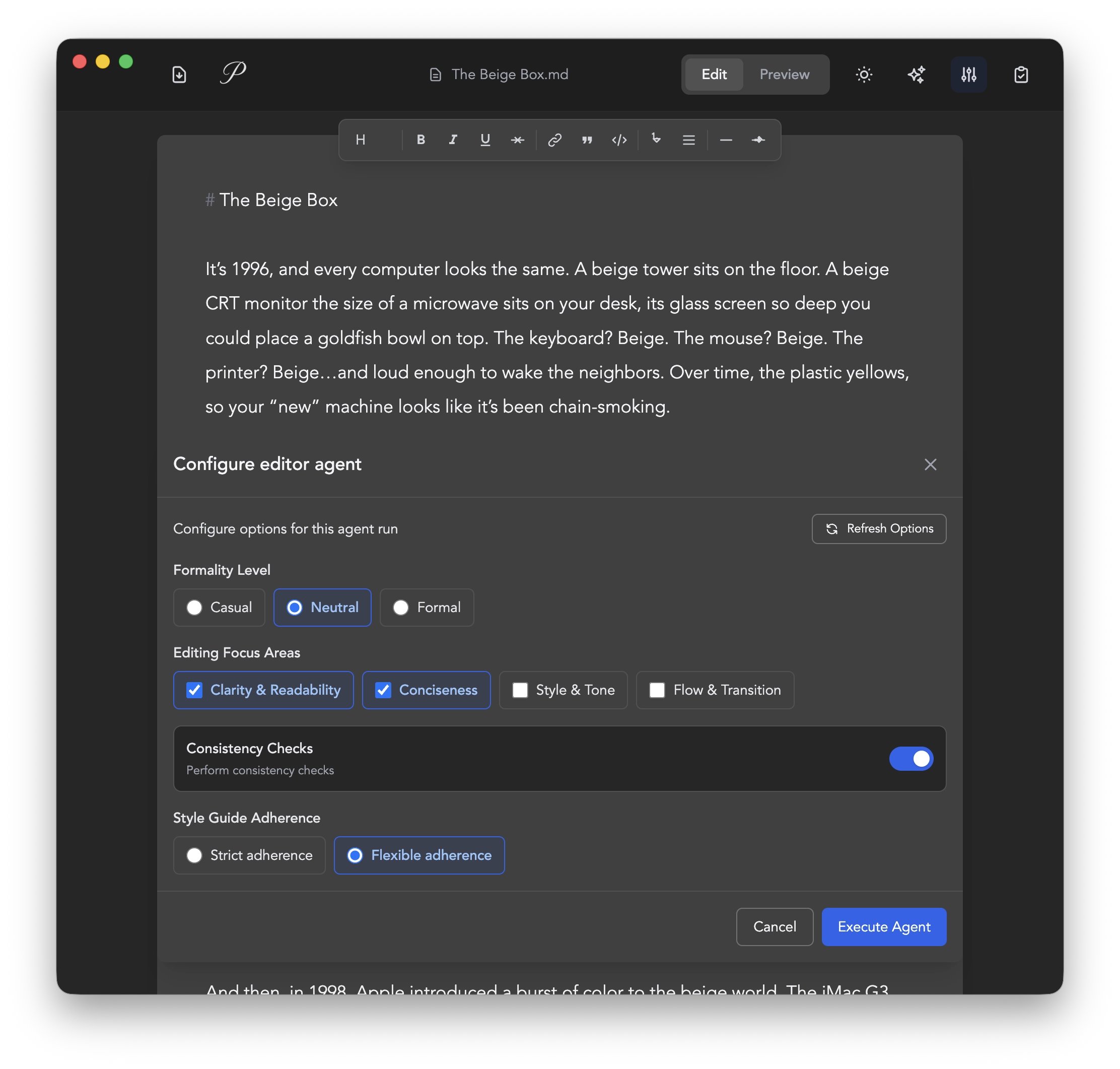
Let's look at how it works in Prose. Instead of hardcoded configuration options, I provide the selected agent's purpose along with the current document, and Promptions generates 2-4 contextually-relevant control options in real-time.
The Data Model#
I built a JSON schema for three basic controls:
// Single-select radio button
{
  id: "tone",
  label: "Writing Tone",
  kind: "single-select",
  options: {
    "formal": "Professional and formal",
    "casual": "Conversational and friendly",
    "academic": "Scholarly and precise"
  },
  value: "formal"  // Currently selected
},
// Multi-select checkboxes
{
  id: "focus-areas",
  label: "Areas to Revise",
  kind: "multi-select",
  options: {
    "grammar": "Grammar and mechanics",
    "clarity": "Clarity and flow",
    "arguments": "Strengthen arguments"
  },
  value: ["grammar", "clarity"]  // Multiple selections
},
// Binary select (toggle switch)
{
  id: "preserve-voice",
  label: "Preserve Author Voice",
  kind: "binary-select",
  options: {
    "enabled": "Keep original writing style",
    "disabled": "Allow style changes"
  },
  value: "enabled"  // Either enabled or disabled
}
The Flow#
The user selects an agent, which passes the agentId value, closes the agent panel, and opens the steering panel.
const handleAgentSelected = (agentId) => {
  setSelectedAgent(agentId);
  setAgentPanelOpen(false);
  setSteeringPanelOpen(true); // Opens bottom panel
};
// ... additional handlers
<PromptionsControlPanel
  agentId={selectedAgent}
  documentState={documentState}
  onChange={handlePromptionsChange} // Updates context when user changes values
/>;
Once the steering panel mounts, the service retrieves the available options for the agent and generates a unique prompt.
_buildSystemPrompt(agentInfo, documentState) {
  const docSnippet = documentState.content?.slice(0, 500) || ""

  return `You are a configuration generator for the "${agentInfo.name}" agent.

## Agent Context
Name: ${agentInfo.name}
Description: ${agentInfo.description}
Current Stage: ${documentState.stage || "unknown"}

## Document Snippet
${docSnippet}

## Your Task
Generate 2-4 configuration controls that would be most useful for this agent.

## Schema
${basicOptionSet.getSchemaSpec()}

## Example Controls for ${agentInfo.name}:
${this._getExamplesForAgent(agentInfo.name)}

Return ONLY a JSON array of controls.`
}
From there, the JSON response is parsed and a renderer creates the controls. In practice, this might produce a panel with two radio groups—one for revision depth (light touch, moderate, aggressive) and one for voice preservation—plus a multi-select for specific focus areas. The controls change each time based on the agent and document.
Steering the Agent#
Once the user selects their options, the system injects a new set of instructions based on the selection into the prompt in a way that supersedes the default instructions.
async function executeDraftAgent(documentState, options = {}) {
  const { promptions = null, ...otherOptions } = options;

  let systemPrompt = `You are a writing assistant...

  ## Instructions
  - Follow best practices
  - Write clearly and concisely`;

  // CRITICAL: Inject user preferences
  if (promptions && !promptions.isEmpty()) {
    const formatted = promptions.prettyPrintAsConversation();

    systemPrompt += `\n\n## CRITICAL: User-Configured Preferences

${formatted.question}

## User's Selected Configuration:
${formatted.answer}

IMPORTANT: You MUST follow these user preferences exactly.
They override all default behavior.`;
  }

  // Continue with agent execution...
  const response = await openai.chat.completions.create({
    model: 'gpt-4o',
    messages: [
      { role: 'system', content: systemPrompt },
      { role: 'user', content: userPrompt },
    ],
  });
}
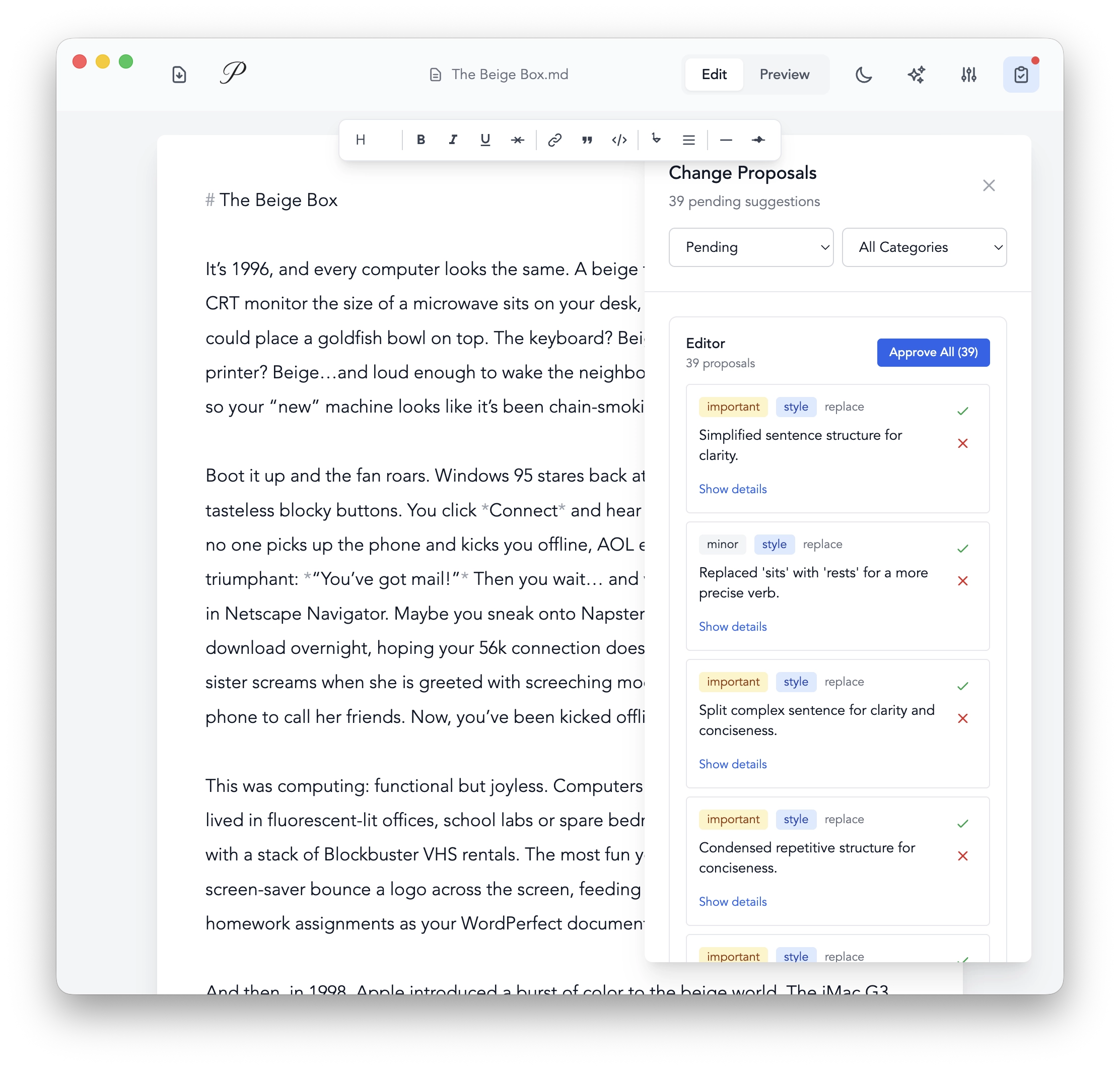
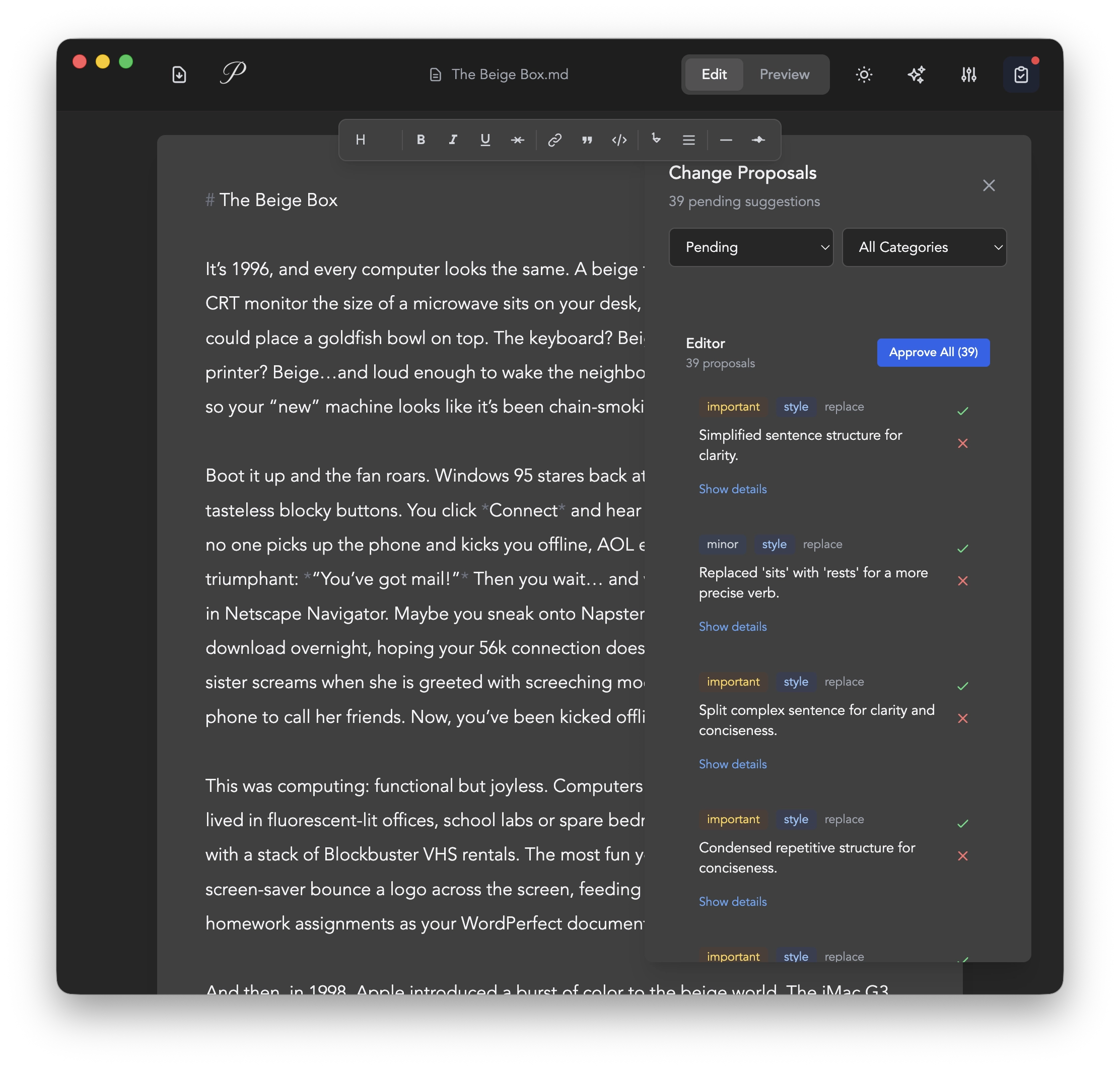
Beyond Writing#
This pattern—generating contextual controls instead of demanding conversation—extends beyond writing tools. I haven't built these, but the same friction appears anywhere users need to guide AI systems with nuance.
Consider a workspace that adapts to your day. Instead of manually configuring window layouts, notification settings, and focus modes each morning, the system reads your calendar, recent activity, and current projects to generate controls: session type (deep work, collaboration, administrative), distraction level (minimal, moderate, full access), layout preference (focused, reference, multi-task). The interface configures itself based on what you're actually trying to accomplish.
Or data analysis. Rather than instructing "create a visualization but make it suitable for a business presentation and emphasize the quarterly trends," the system generates controls for audience type, chart complexity, time granularity, and visual style—all based on the dataset it's analyzing and the context of your project.
The same applies to code review tools that adjust feedback severity and focus areas based on the PR context, or research assistants that tune synthesis depth and citation density based on the document they're helping you build. Email drafting tools generate formality and length controls based on the recipient and thread history.
In each case, the pattern is identical: the model inspects the context, understands what kind of guidance would be most useful, and generates appropriate controls. The user steers with a few clicks instead of paragraphs of instruction.
What makes this approach powerful isn't just the convenience—it's that the model's understanding of context informs what controls to offer. The interface becomes dynamic and purpose-built for each interaction, rather than generic and conversational. Control surfaces emerge from the work itself.
The chat interface was never the right metaphor for assistance. Assistance isn't conversation—it's collaboration. And collaboration needs precision, not prose.